
How to Sign Up and Create a Cashaa Account
Opening a Cashaa account takes about a minute. You need an email address you can access, and a password. Everything else — including verifying your identity — comes later, and only when you first withdraw.
Two ways to use Cashaa — the same screens either way. Open the Android app from cashaa.com/app, or sign in with any browser at platform.cashaa.com. The steps below are identical on both. (The iPhone app is with Apple for review — until it lands, iPhone users can use the browser.)
- 1
Step 1: Open the sign-up screen
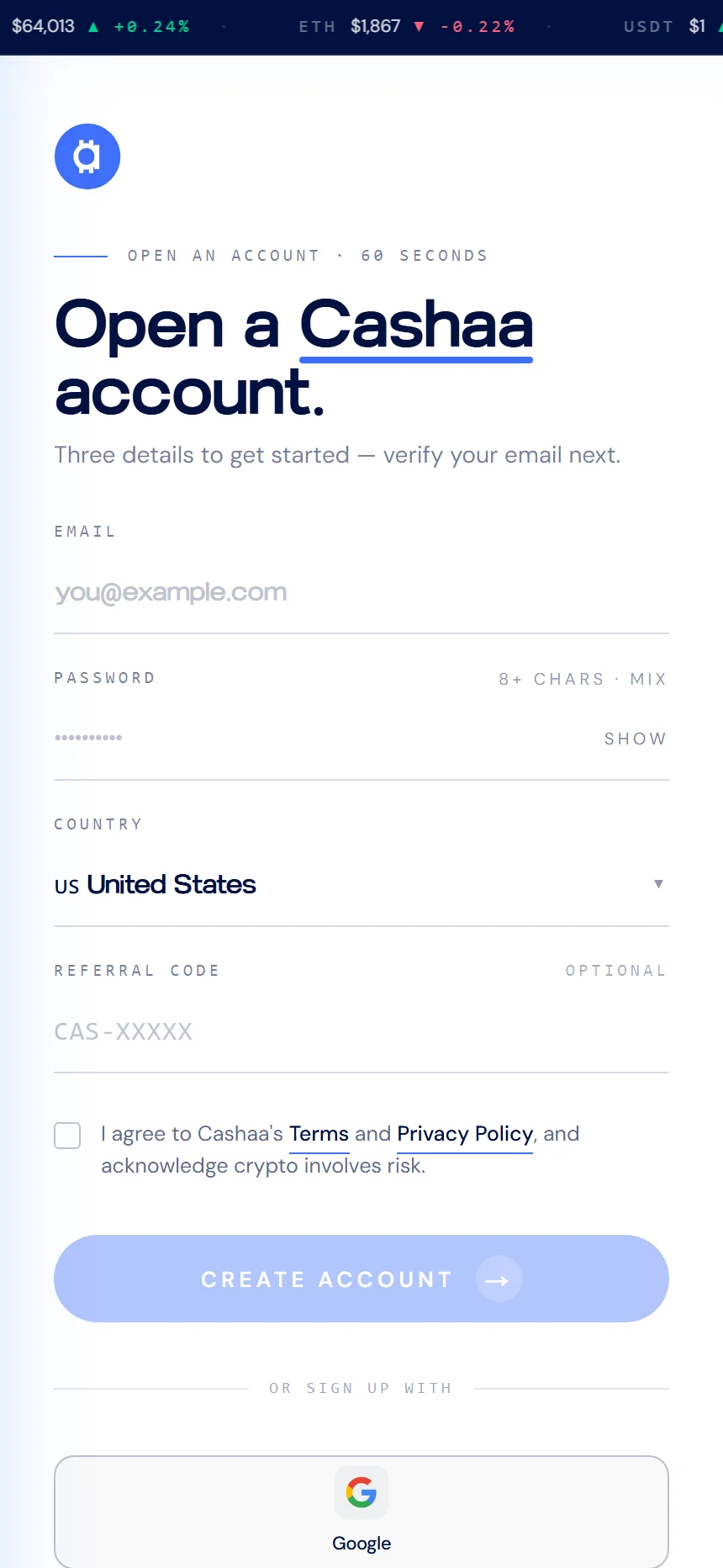
Go to cashaa.com/app on your phone, or platform.cashaa.com in any browser, and choose Create account.
- 2
Step 2: Enter your details
Type the email address you want on the account, choose a password of at least 8 characters, and pick your country of residence.
If someone invited you, add their referral code in the optional field — it cannot be added afterwards.
- 3
Step 3: Accept the terms
Tick the box to confirm you agree to Cashaa's Terms and Privacy Policy, then select Create account.
- 4
Step 4: Verify your email
We email you a one-time code. Enter it to confirm the address is yours. If it has not arrived after a minute, check your spam folder.
- 5
Step 5: Sign in
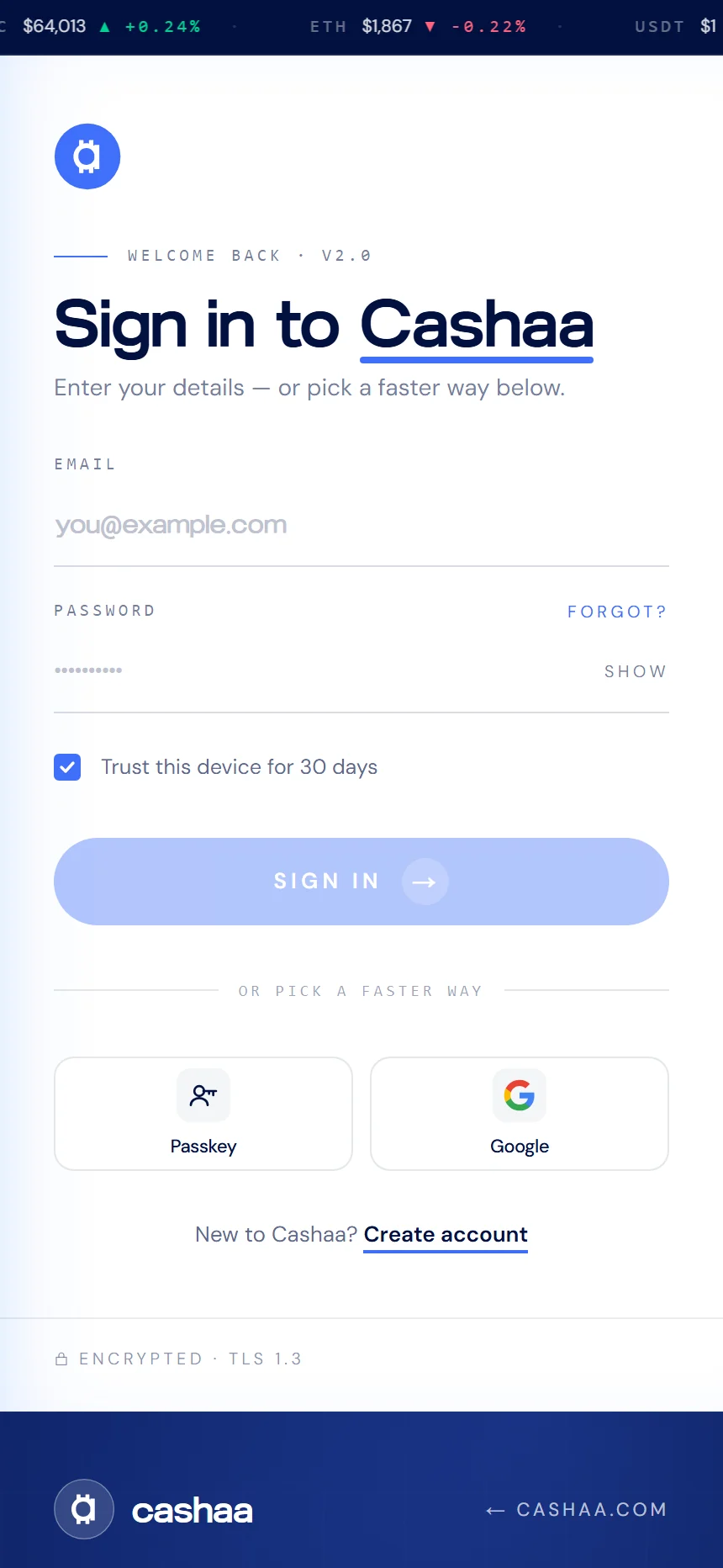
Enter your email and password on the sign-in screen. Unless you have set up a passkey or an authenticator app, we email you a one-time code each time you sign in — so a stolen password alone is never enough.
- 6
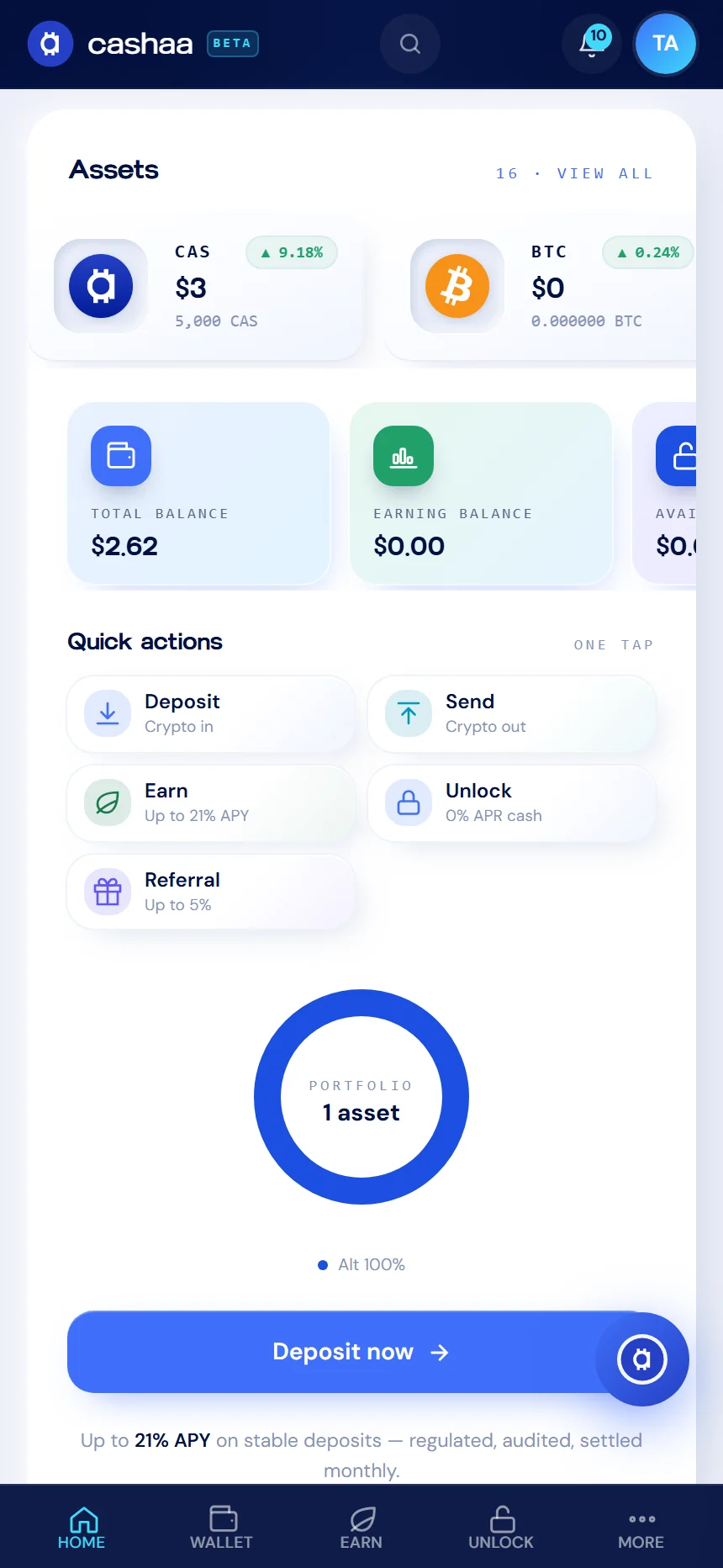
Step 6: You are in
Your dashboard opens with your balance, quick actions, and the four products: Deposit, Earn, Unlock Cash and Referral.
- 7
Prefer to skip the password?
You can also continue with Google, or add a passkey after signing in and use your fingerprint or Face ID from then on.
Was this helpful?
Quick feedback helps us improve.